The new One UI 8 update is finally available. It accompanies the release of the new foldable phones, the Galaxy Z Fold 7 and Z Flip 7. Many are wondering about the real advancements in this version. Does it bring major changes? Or is it a simple optimization? We will explore this in detail.
Let’s be clear from the start. One UI 8 is not a revolution like its predecessors. It is more of an intelligent refinement of what already exists. Samsung has chosen to perfect the solid foundations of One UI 7. This article details the most relevant new features. You will discover how these improvements will transform your daily use.
A Richer, More Immersive Weather App
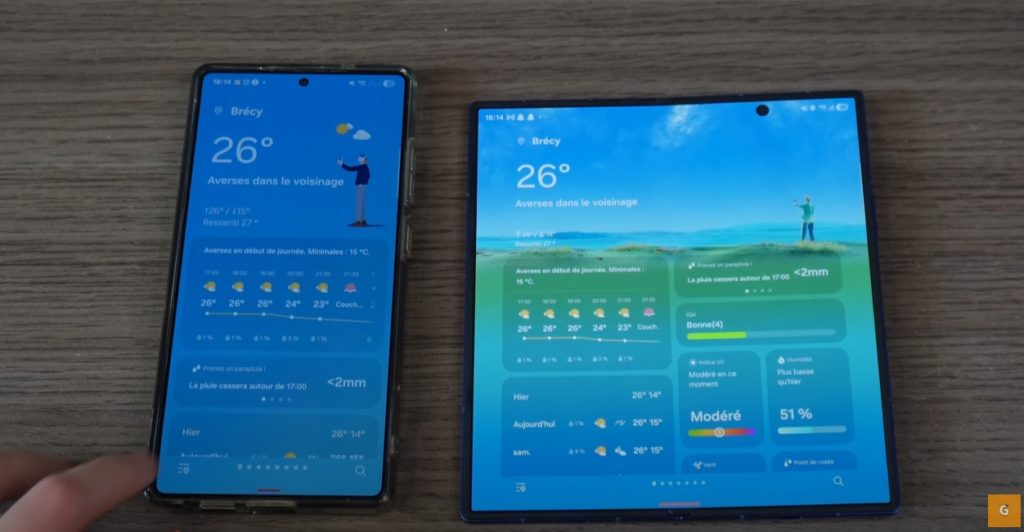
Let’s start with an app everyone uses. The Weather app gets a makeover. It benefits from a welcome redesign. Samsung has integrated much smoother animations. Additionally, a dynamic 3D avatar now appears. The overall interface aims to be cleaner and more intuitive.
However, the main new feature remains functional. One UI 8 introduces hybrid measurement units. This option offers unprecedented flexibility. You can now choose your own unit settings. For example, display the temperature in Celsius. And keep the wind speed in kilometers per hour (km/h), or another unit. You have total control over the displayed information. It’s a small addition that greatly simplifies life.
Multitasking: Split Screen, Revolutionized for Foldables
Next, let’s talk about a feature derived from Android 16. Multitasking reaches a new peak with One UI 8. It is now possible to split the screen asymmetrically. You can opt for a 90/10 ratio. This advancement is particularly useful on foldable smartphones.
Imagine a practical case. You are working on an important quote. With a simple gesture, you bring up your calculator. It only occupies a small strip of the screen. Thus, your main document remains perfectly visible. Multitasking becomes more than a gimmick. It transforms into a real productivity tool. Apps can be hidden on the side, ready to be used.
QuickShare: Simplified and Universal Sharing
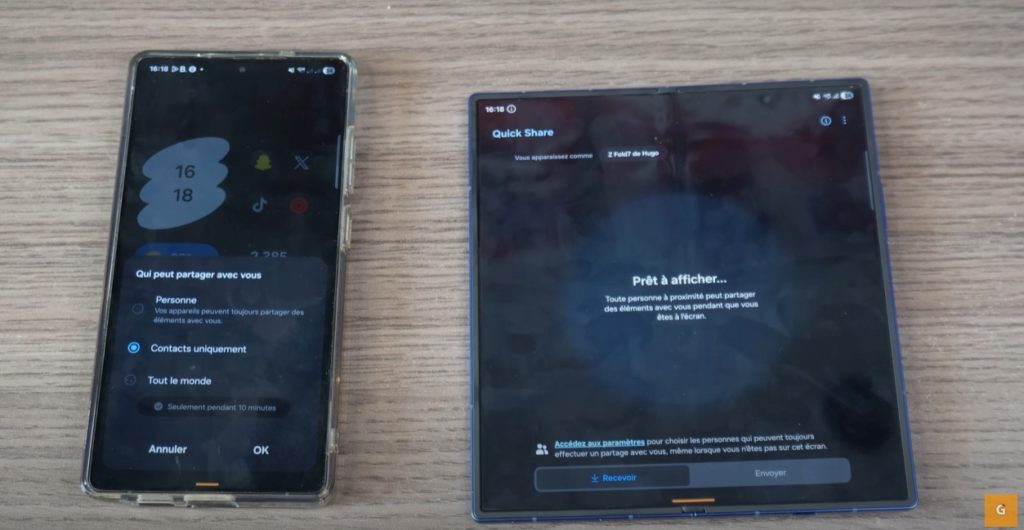
File sharing is also evolving. QuickShare is no longer just a pop-up. It becomes a full-fledged application. This new structure clarifies its operation. Sending and receiving are now very clearly distinguished. The interface is cleaner and easier to navigate.
Furthermore, a very practical trick makes its appearance. Do you want to share a file with an Apple user? Or with an incompatible device? QuickShare can now generate a QR code. The other person just has to scan it. They then get direct access to download the file. Sharing finally becomes truly universal and frictionless.
Auracast: Simple, Shared Audio
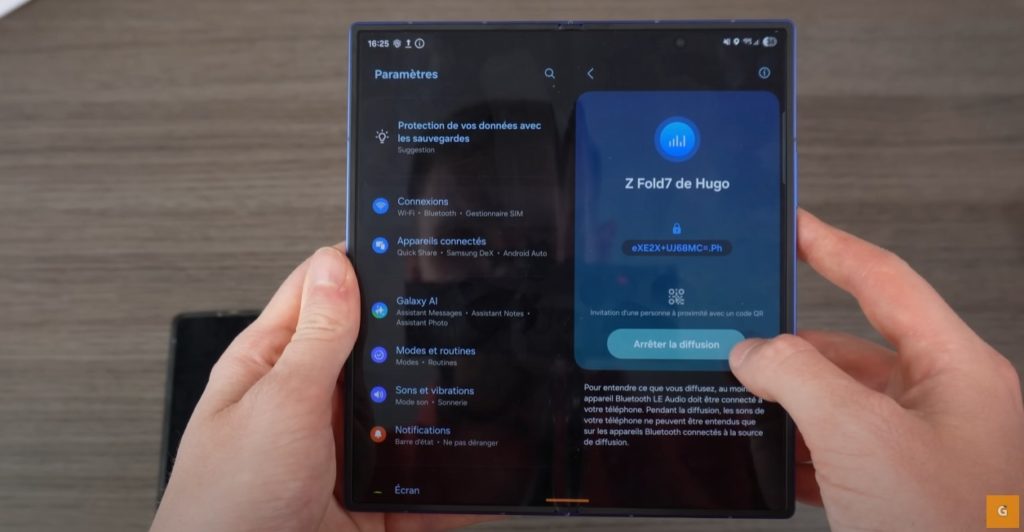
One UI 8 natively integrates Auracast technology. But what does it actually do? It allows you to connect multiple audio devices to a single source. You can stream sound from your phone simultaneously to several headphones or earbuds.
This function makes perfect sense when traveling. For example, you are watching a movie on your tablet on a plane. Thanks to Auracast, two people can listen with their own headphones. The connection process is incredibly simple. A quick QR code scan is all it takes to establish the link. The multimedia sharing experience is greatly enhanced.
Samsung DeX: Your Mobile Desktop Gains Flexibility
The DeX experience, which turns your smartphone into a desktop computer, is also improving. Samsung has added new resolution options. You can now enjoy an optimized display up to QHD. This corresponds to a resolution of 2560 by 1440 pixels. The rendering is sharper and more professional.
Moreover, DeX now manages display rotation. If you use a monitor in portrait mode, the interface will adapt automatically. This flexibility was highly anticipated by advanced users.
Now Brief and now bar: Smarter Notifications
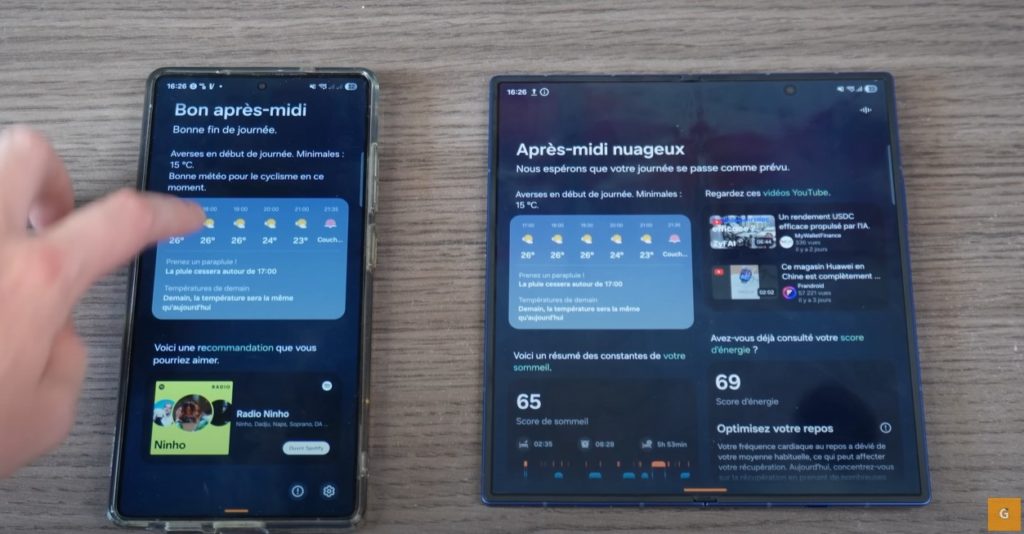
You may already be familiar with the Now Brief and now bar features. With One UI 8, they become even more useful. Now Brief transforms into a proactive assistant. It will give you more relevant information. For example, security alerts for your home. Or the battery level of your connected devices.
As for the now bar, those small dynamic notifications, it is finally opening up. Third-party apps can now use it. Imagine tracking your Uber Eats order directly from this interface. Samsung is opening up its ecosystem. This promises the arrival of many compatible applications.
Dynamic Wallpapers: A Living Aesthetic
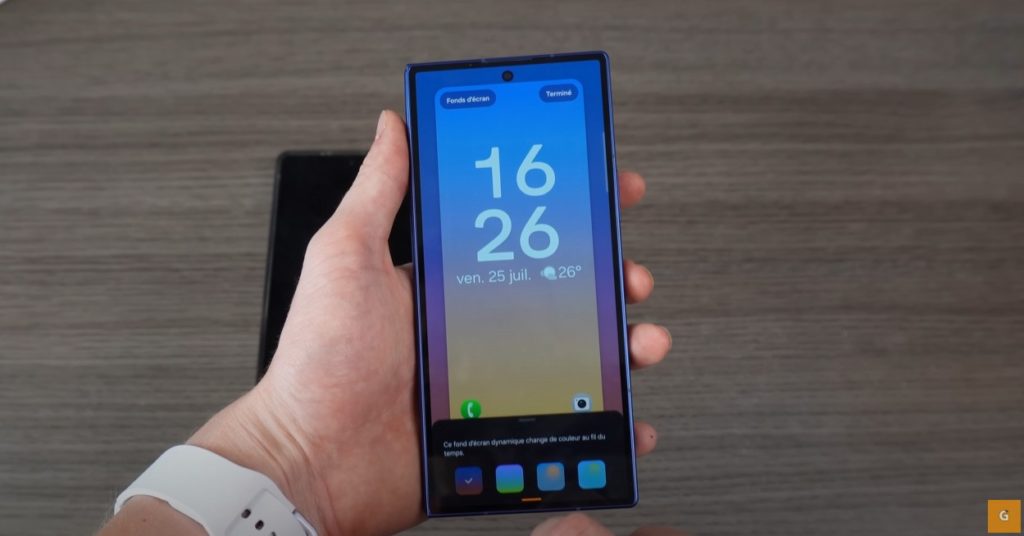
One UI 8 introduces a touch of poetry to your interface. The new dynamic wallpapers evolve with the time of day. They change according to the hour.
- In the morning, it displays blue and orange hues to simulate dawn.
- In the afternoon, the colors shift to bright green and blue.
- In the evening, warm red and orange tones evoke twilight.
- At night, the wallpaper darkens with somber colors to match the night.
What’s New for Your Galaxy Watch
The update doesn’t just concern phones. Galaxy Watch smartwatches also benefit from One UI 8 Watch. Here is a quick overview of the major additions.
- Winning Coach: A personalized running coach that adapts to your goals.
- Health Indicators: New measurements like the antioxidant index and vascular load are added.
- Bednat Guidance: A sleep guide that analyzes your nights to provide improvement tips.
- New Interface: The now bar also appears on the watch. You can also create custom tiles that group information from different apps (weather, health, calendar).
- Gemini Integration: Google’s AI arrives on your watch for more advanced voice interactions.
And you, what is the feature you are most looking forward to in One UI 8?